The 5 Cybersecurity Basics Every Florida Small Business Needs in 2026
A practical, no-jargon cybersecurity checklist Florida small businesses can implement this week to dramatically reduce ransomware and phishing risk.
If you run a small business in Plant City, Tampa, Lakeland, or anywhere in Central Florida, here’s an uncomfortable truth: you are a target.
Not because anyone’s specifically out to get you, but because attackers know small businesses tend to have weaker defenses than enterprises — and they automate their attacks to hit thousands of targets a day. The good news? You don’t need an enterprise budget to dramatically reduce your risk. You need five fundamentals, done well.
Here’s the checklist I run for every new Bearded Bytes client.
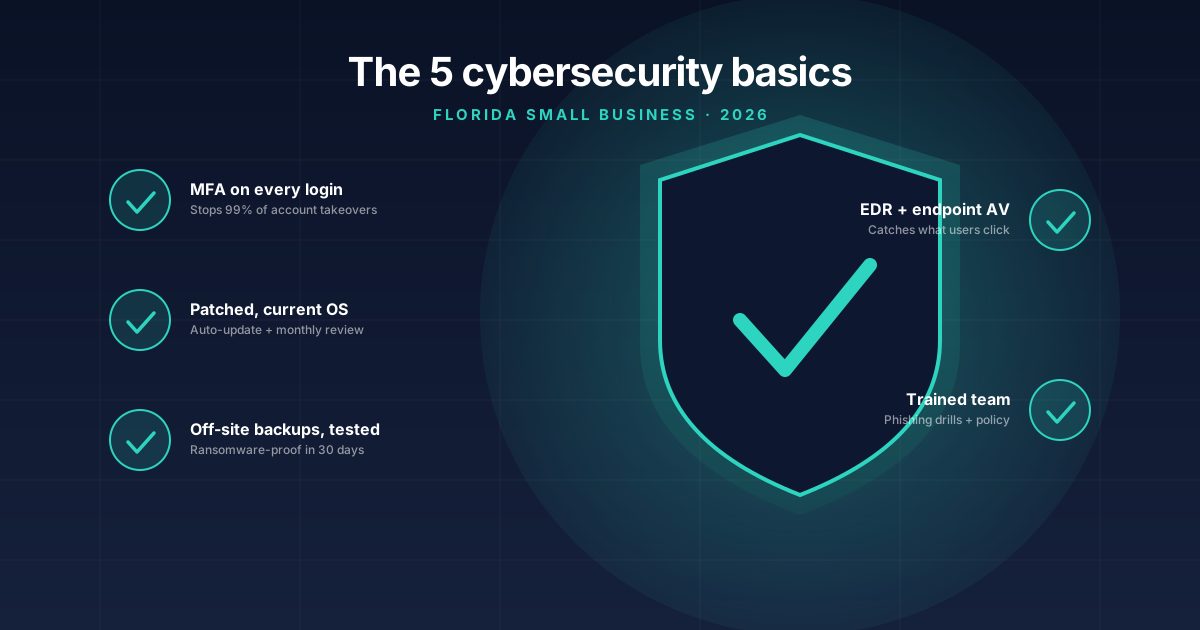
1. Multi-factor authentication on every account that supports it
If you do nothing else from this list, do this. Microsoft estimates MFA blocks 99.2% of automated account compromise attempts.
Start with the accounts that would cause the most damage if breached:
- Your email (Microsoft 365, Google Workspace)
- Your bank and merchant processor
- Your accounting software (QuickBooks, Xero)
- Your CRM
- Your domain registrar (this one gets forgotten and it’s catastrophic)
- Any remote-access tool (RDP, AnyDesk, TeamViewer)
Use an authenticator app (Microsoft Authenticator, Authy, 1Password) rather than SMS where possible — SIM-swapping attacks make SMS the weakest form of MFA.
2. A modern endpoint protection product on every device
Built-in Windows Defender has gotten better, but it’s not enough on its own for a business. You want something with EDR (Endpoint Detection and Response) — software that doesn’t just block known viruses, but watches behavior and flags suspicious activity in real time.
For small businesses I deploy and recommend:
- Malwarebytes ThreatDown — strong EDR, very Florida-MSP friendly pricing
- SentinelOne — heavier, more enterprise
- Bitdefender GravityZone — solid middle ground
Expect to spend $4–$8 per device per month. Cheap insurance against a $50,000 ransomware demand.
3. Backups you’ve actually tested
Every backup horror story I’ve seen comes down to one of two failures: backups weren’t running, or backups were running but couldn’t be restored.
Follow the 3-2-1 rule: 3 copies of your data, on 2 different media types, with 1 copy off-site. For most small businesses this looks like:
- The live data on your computers / servers
- A local backup (NAS, external drive) for fast restores
- An off-site cloud backup (Backblaze, Wasabi, Veeam Cloud Connect) immune to ransomware
The critical step everyone skips: restore a file from backup every quarter. If you can’t restore it during a quiet Tuesday, you can’t restore it the night your server gets encrypted.
4. Phishing-aware employees
Your firewall doesn’t matter if Brenda in accounting wires $40,000 to a fake invoice from “the CEO.” Human error causes the vast majority of breaches at small businesses.
You don’t need a six-figure security awareness platform. You need three things:
- One training session a year explaining what phishing looks like (and what to do when something seems off — pause, pick up the phone, verify).
- Simulated phishing emails every couple of months. Free tools like KnowBe4’s PhishER Lite let you do this for under 50 employees.
- A “verify by phone” rule for any payment, wire, or password reset request — no exceptions, no matter how urgent the email sounds.
5. Patch your stuff
Most successful attacks exploit vulnerabilities that were patched months or years before. Yet on small business networks I routinely find:
- Windows machines two major updates behind
- Routers with firmware from 2020
- Office printers with web interfaces exposed to the internet
- WordPress plugins last updated three years ago
Set up automatic Windows updates. Update your router/firewall firmware quarterly. Check the printer. This week.
What about ransomware insurance?
Worth having — but read the policy carefully. Most insurers now require you to have MFA, EDR, and offline backups in place to even qualify for a claim payout. The five items above aren’t optional anymore; they’re the price of admission.
Where to start
If this list feels overwhelming, pick MFA and start there. You can roll it out across your business in an afternoon and you’ll be more secure than 70% of Florida small businesses.
If you want a second set of eyes on your current setup, book a free consultation. I’ll come on-site (or hop on a video call), walk through your environment, and write you a plain-English report on where the biggest gaps are.
No sales pitch, no scare tactics — just a clear picture of where you stand.
Tags: #cybersecurity#small business#ransomware#florida#msp
Need help with this in your business?
Bearded Bytes provides on-site IT support, cybersecurity, and managed services across Plant City and the Tampa Bay area. Book a free consultation.
Talk to Brendan →