
The Human Firewall: Security Awareness Training for Small Business
Firewalls and antivirus won't stop an employee from clicking the wrong link. Here's what real security awareness training looks like for a Florida small business team.
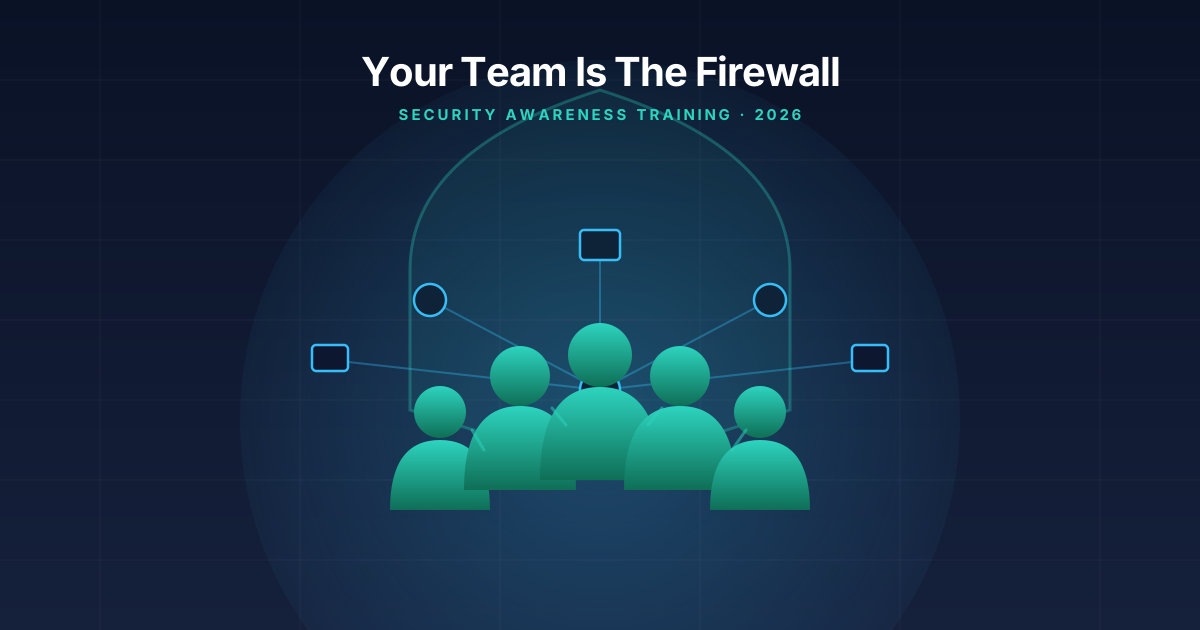
Here’s the uncomfortable truth: I can install the best firewall on the market, lock down your Microsoft 365 tenant, and roll out endpoint detection on every machine in your office — and none of it matters if someone on your team clicks the wrong link on a Tuesday afternoon. I’ve seen it happen at businesses with genuinely solid technical defenses. The email looked legitimate, the person was busy, and one click undid months of careful setup.
That’s not a knock on your employees. It’s just how attackers operate now. Why spend weeks trying to break through a firewall when you can send an email that looks like it’s from the owner asking someone in accounting to “quickly” wire a vendor payment? The technology around your business can be airtight, but your people are still the ones opening email, clicking links, and deciding whether a request seems legit. That’s why I tell every client the same thing: your employees are your firewall too. The question is whether anyone’s ever actually trained them to do that job.
Why technology alone doesn’t cut it
I install firewalls, spam filters, and endpoint protection for a living, so I’m not here to talk you out of any of it — you need all of it. But every layer of technology you buy is designed to stop a specific kind of threat, and the smartest attacks are specifically designed to slip past the technology and land in front of a human being instead.
A well-crafted phishing email passes your spam filter because it doesn’t contain malware — it’s just words, asking someone to click a link or reply with information. A phone call from someone pretending to be your IT provider isn’t going to trip an antivirus scan. A fake invoice that looks exactly like your normal vendor’s isn’t flagged by anything technical, because nothing about the file itself is malicious — the deception is entirely social.
I wrote a while back about the specific phishing tactics hitting Florida small businesses, and the pattern holds here too: the weak point isn’t the technology, it’s the moment a person has to make a judgment call with incomplete information and not much time to think about it. Security awareness training exists to make that judgment call easier and more automatic — so the pause-and-check instinct kicks in before the click, not after.
What real training actually looks like (and what it isn’t)
When I bring this up with clients, a lot of them picture an annual compliance video — the kind where employees click through slides on a Friday afternoon, half-watching, just to get the certificate. I get why that’s the association. It’s also why it doesn’t work. A once-a-year video that nobody remembers by March isn’t training, it’s a checkbox.
Effective security awareness training has three things going for it that the annual-video approach doesn’t:
It’s frequent, not annual. Short and regular beats long and rare. A 10-minute session once a quarter, plus periodic reminders, sticks better than a 45-minute module once a year. Attackers don’t take a break for eleven months, so your team’s awareness shouldn’t either.
It includes simulated phishing tests. This is the piece that actually changes behavior. Your team gets a realistic — but harmless — phishing email sent to their inbox, and you see who clicks, who reports it, and who ignores it. The people who click get a quick, non-punitive follow-up explaining what they missed. Over a few months of this, click rates drop dramatically, because people start recognizing the patterns instead of just being told about them in the abstract.
It’s specific to how your business actually gets attacked. A medical billing office in Brandon has different risk exposure than a landscaping company in Plant City. Good training uses examples that look like what your team would actually receive — fake vendor invoices if you deal with vendors regularly, fake client emails if you’re client-facing, fake internal requests if you have any kind of approval workflow for payments.
The habits worth building
If I had to boil security awareness training down to the handful of habits that actually move the needle, it’s these:
Slow down on anything urgent or unusual. Attackers rely on urgency — “wire this today,” “your account will be suspended,” “click here immediately.” Training your team to treat urgency itself as a red flag, rather than a reason to hurry, catches a huge share of attempts before they go anywhere.
Verify requests through a second channel. If an email asks for a payment, a password reset, or sensitive information, the habit should be to confirm it through a different method — a phone call to a known number, a Slack message, walking over to someone’s desk — not by replying to the email itself. This one habit alone stops the vast majority of business email compromise attempts.
Check the actual sender address, not just the display name. Email clients show a friendly display name by default, which is exactly what makes it easy to spoof “Brendan Czerwonka” while the real address is something unrelated. Training people to glance at the actual address takes seconds and catches a lot of fakes.
Use multi-factor authentication everywhere it’s offered, and treat unexpected MFA prompts as a warning sign. If someone gets an MFA push notification they didn’t trigger, that’s not an annoyance to dismiss — that’s a sign someone has their password and is trying to get in. I covered the mechanics of this in more detail in my walkthrough of the Microsoft 365 security settings worth changing, but the training piece matters as much as the technical setup: a strong lock doesn’t help if someone opens the door for the person trying to pick it.
Report anything suspicious — even after the fact. This is the habit that’s easiest to lose and most valuable to keep. If someone clicks a bad link, the worst outcome isn’t the click itself, it’s not telling anyone for three days because they’re embarrassed. A team that reports fast gives you a chance to contain the damage. A team that stays quiet out of fear gives an attacker a three-day head start.
Building a culture where people actually report things
This part doesn’t get talked about enough, and it’s arguably more important than the training content itself. If your team is afraid of getting in trouble for clicking a bad link, they will hide it when it happens — and the eighteen hours between “someone clicked something” and “someone finally told IT” is exactly the window where a small mistake turns into a full-blown incident.
The businesses I work with that handle this well treat every report as a win, not a confession. Someone reports a suspicious email that turns out to be nothing? Thank them anyway — it means the instinct is working. Someone admits they clicked a link and now feels sick about it? The response needs to be “let’s fix this together,” not a lecture. The goal is a team that treats IT like the people who help when something goes wrong, not the people who hand out blame when it does.
What this actually costs and where to start
You don’t need an enterprise security budget to do this right. For most of the small businesses I work with across Plant City, Tampa, and Lakeland, a managed security awareness program — simulated phishing, short recurring training, and reporting tools built into the email client — runs a modest monthly cost that’s genuinely small compared to what one successful business email compromise incident costs in recovered funds, lost time, and client trust.
If you’re not sure where your team currently stands, the easiest starting point is a baseline phishing test — no warning, no punishment, just a read on where you’re at today. From there it’s a matter of building a short recurring cadence and making sure reporting a suspicious email is as easy as clicking a button.
If you want a hand setting that up, reach out for a free consultation and I’ll walk you through what a managed security awareness program would actually look like for your team — no long sales pitch, just a straight answer on what makes sense for a business your size.
Tags: #security awareness training#employee cybersecurity#phishing#small business#florida#msp
Need help with this in your business?
Bearded Bytes provides on-site IT support, cybersecurity, and managed services across Plant City and the Tampa Bay area. Book a free consultation.
Talk to Brendan →