
What Is a Firewall, and Does Your Florida Small Business Need One?
A firewall is your network's front door. Here's what it actually does, the difference between consumer and business-grade gear, and how to know if yours is doing its job.
I ask a version of this question at almost every first meeting with a new client: “Do you have a firewall?” About half the time I get a confident “yes” — and then I find out it’s the little blinking box the internet provider dropped off during installation. That’s a router. It’s not nothing, but it’s not what most people picture when they hear “firewall,” and it’s definitely not doing the job a business needs it to do.
So let’s fix that. This one’s a jargon-buster — no fearmongering, just a plain answer to a question I get asked constantly: what is a firewall, actually, and does your business need a real one?
What a firewall actually does
Think of your network like a building. Every device on it — computers, printers, your POS system, your security cameras — is a room inside that building. The internet is the street outside, and it’s full of people trying doorknobs.
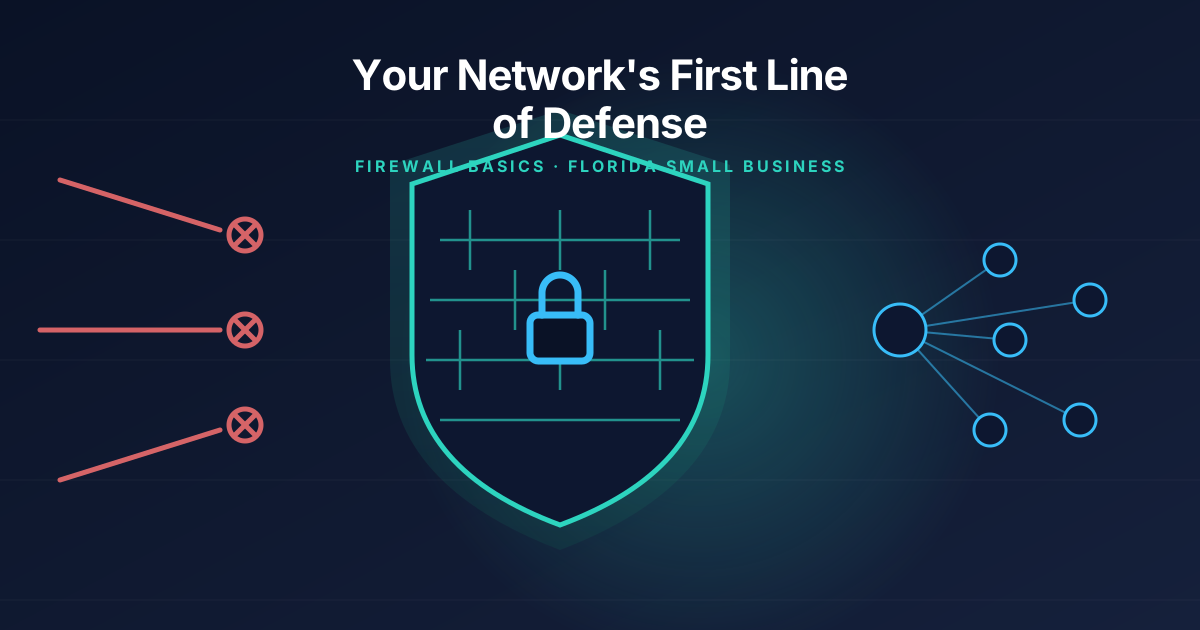
A firewall is the front door with a bouncer standing at it. It sits between your internal network and the internet and inspects every bit of traffic trying to come in or go out, deciding what gets through based on a set of rules. Legitimate traffic — your team browsing the web, sending email, using cloud software — passes through. Traffic that looks like a port scan, a known malware signature, or a connection attempt from a country your business has no reason to talk to gets blocked before it ever reaches a computer inside your network.
Without one — or with a consumer-grade router doing the job by accident — every device on your network is a room with the door wide open to anyone on the street who tries the handle.
Consumer router vs. business firewall: the real difference
This is where I lose people, because on paper a $150 router from a big-box store and a $600 business firewall both “do” firewalling. Here’s why they’re not the same tool.
A consumer router’s firewall is a basic yes/no gate. It blocks obviously unsolicited inbound connections and calls it a day. That’s fine for a home network streaming Netflix. It is not fine for a business handling customer credit cards, patient records, or a shared drive full of financials.
A business-grade firewall — the Fortinet units I install for most of my Tampa Bay clients, for example — adds layers a consumer box doesn’t have:
- Intrusion prevention (IPS) that actively looks for known attack patterns in traffic, not just blocks unsolicited connections
- Content and category filtering so you can keep the office network off malicious or time-wasting sites without babysitting it manually
- VPN support so remote or traveling employees connect to your network securely instead of over open Wi-Fi
- Network segmentation — the ability to wall off your security cameras, guest Wi-Fi, and point-of-sale system from the rest of your network, so if one gets compromised, the damage doesn’t spread
- Centralized logging and alerts so if something is hammering on your network, you (or your IT provider) actually find out about it
That last point matters more than people expect. A consumer router doesn’t tell you it’s under attack. It just quietly does its best. A business firewall tells you what it blocked, when, and from where — which is the difference between “we had no idea” and “we caught it before it became a problem.”
Signs your current setup isn’t cutting it
You don’t need to be a network engineer to spot the warning signs. A few I run into constantly with small businesses across Plant City, Lakeland, and Brandon:
Nobody in the office knows the firewall’s admin password. If nobody can log in and check the rules or update the firmware, it’s not being managed — it’s just sitting there, probably running factory settings from whenever it was installed.
The same device has been running since before you can remember. Firewall firmware needs regular updates just like your computers do. A firewall that hasn’t been patched in two years has known, publicly documented vulnerabilities that attackers actively scan for.
Everything is on one flat network. If your guest Wi-Fi, your security cameras, your POS terminal, and your accounting computer can all technically talk to each other, you’ve got no segmentation — and a compromised smart thermostat or camera can become a stepping stone to your financial data.
You’ve never seen a report from it. A firewall that isn’t logging or alerting anyone is a very expensive paperweight with blinking lights.
If any of that sounds familiar, it’s worth a second look. I’ve walked into offices where the “firewall” was a five-year-old router that had been rebooted maybe twice since installation — and the business had no idea their real protection was essentially a suggestion.
Do you actually need a business-grade firewall?
Honestly, it depends on what’s on your network and what you’d lose if it got in. A solo consultant running a laptop and a phone from a home office has a very different risk profile than a 12-person medical billing company in Brandon with patient data, or a restaurant in downtown Plant City running a POS system that touches customer credit cards.
As a rough rule: if your business handles customer payment information, stores any kind of sensitive data (health records, financial records, employee SSNs), operates security cameras or smart devices on the same network as your business computers, or would take a real financial hit from a day of downtime, you need more than what came in the box from your internet provider. That covers the large majority of the small businesses I work with.
If you’re a genuinely tiny operation with nothing sensitive on the network, a hardened consumer setup with strong Wi-Fi passwords and guest network isolation might get you by for now — but “for now” has a way of turning into “we grew and never revisited it,” which is how I end up doing emergency cleanup after an incident instead of a planned install.
What I’d actually do about it
If you’re not sure what’s protecting your network right now, here’s the realistic path:
- Find out what’s actually installed. Not what the internet company told you when they set it up three years ago — what’s physically there and whether anyone still has admin access to it.
- Check when it was last updated. If the answer is “I don’t know” or “never,” that’s your first fix, and it might be free.
- Ask whether your network is segmented. Cameras, guest Wi-Fi, and POS systems should not be able to freely talk to your office computers.
- Get a real assessment if you handle sensitive data. This is one area where a 30-minute conversation with someone who does this daily saves you from guessing.
This ties directly into the cybersecurity and endpoint protection work I do for clients across Central Florida — firewalls are the foundation, but they work best paired with the basics I covered in my rundown of the five cybersecurity fundamentals every small business should have in place, and hurricane season is a good reminder that network hardware needs a plan too, which I get into in my disaster recovery checklist.
The bottom line
A firewall isn’t a “nice to have” bolted onto your network — it’s the front door. The question isn’t really whether you need one; almost every business handling customer data, payments, or sensitive records does. The real question is whether the one you have is actually doing the job, or just sitting there blinking.
If you’re not sure which one describes your setup, that’s an easy thing to find out. Reach out for a free consultation and I’ll take a look at what you’ve got, tell you honestly whether it’s holding up, and walk you through what I’d change — no pressure, no sales pitch, just a straight answer.
Tags: #firewall#cybersecurity#network security#small business#florida#msp
Need help with this in your business?
Bearded Bytes provides on-site IT support, cybersecurity, and managed services across Plant City and the Tampa Bay area. Book a free consultation.
Talk to Brendan →