
Multi-Factor Authentication: The Free Fix Florida Businesses Skip
Multi-factor authentication stops most account takeovers, yet many Florida small businesses still skip it. Here's how I roll out MFA without a revolt from your staff.
Last month I sat down with the owner of a small property management company in Brandon. Her bookkeeper’s email password had been stolen in a breach of some unrelated website, and within a day someone was sending fake invoices to her tenants from a real company address. Nothing fancy. No hacking movie scenes. Just a reused password and a login screen that asked for nothing else.
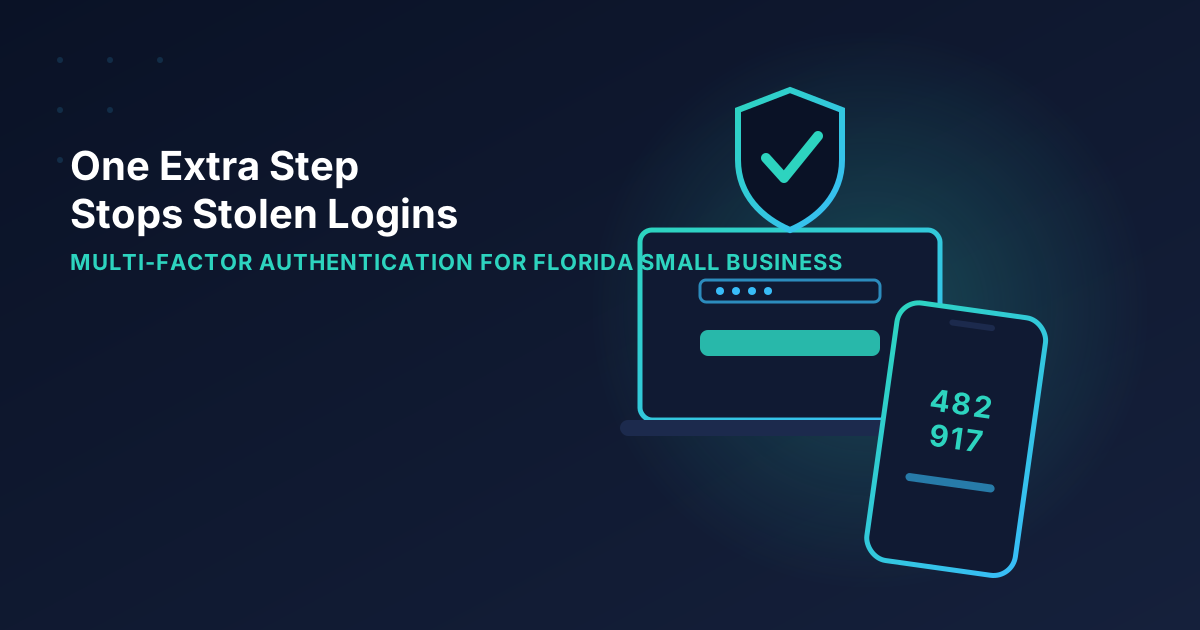
One extra step at login would have stopped it cold. That extra step is called multi-factor authentication, or MFA, and it’s the single cheapest, highest-impact security change I recommend. It’s also the one I most often find switched off.
Let me walk you through what it is, where to turn it on first, and how to roll it out without your team grumbling for a month.
What multi-factor authentication actually is
You already use it. When your bank texts you a code after you type your password, that’s MFA. The idea is simple: proving who you are takes at least two different kinds of evidence.
- Something you know, like a password or PIN.
- Something you have, like your phone, a hardware key, or an authenticator app.
- Something you are, like a fingerprint or face scan.
A stolen password is only one of those. If a criminal in another country has your password but not your phone, they’re stuck at the door. Microsoft has said publicly that MFA blocks the overwhelming majority of automated account-takeover attempts, and that matches what I see in the field. When a client with MFA gets a “your password was found in a breach” alert, it’s an annoyance. Without MFA, it’s an incident.
Why Florida small businesses are a target
If you run a business in Plant City, Lakeland, or Tampa, you might assume attackers have bigger fish to fry. They do, but they don’t pick targets by hand. Automated tools try millions of stolen username and password pairs against Microsoft 365, Google Workspace, banking portals, and payroll systems. Your business isn’t chosen. It’s just in the list.
Small companies also tend to be the soft path to somewhere bigger. A compromised mailbox at a 12-person contractor can be used to impersonate them to a title company or a customer, which is exactly how the wire-fraud cases in my post on business email compromise start.
There’s an insurance angle too. Most cyber insurance applications now ask point-blank whether MFA is enforced on email and remote access. If you answer no, you may pay more or get declined. I covered that in cyber insurance requirements for Florida small businesses, and MFA is usually the first checkbox they care about.
Not all MFA is equal
Here’s where I want to be honest, because a lot of advice online treats every MFA method as the same. They aren’t.
Good: authenticator apps
Apps like Microsoft Authenticator or Google Authenticator generate a code or a push notification on your phone. They’re free, they work without cell service, and they’re far harder to hijack than text messages. For most small businesses, this is my default.
Okay: text message codes
Text codes are much better than nothing. Their weakness is SIM swapping, where a criminal tricks a carrier into moving your number to their phone. It’s rare, but it happens. If a text code is the only option a particular website offers, use it. Just don’t pick it when a better choice is on the menu.
Best: hardware keys and passkeys
A physical security key, or a passkey built into your phone or laptop, can’t be fooled by a fake login page. That makes it the strongest protection against phishing. I put hardware keys on the owner and anyone who approves payments. For everyone else, an authenticator app is plenty.
Watch out for push fatigue
Some attackers spam you with approval prompts at 2 a.m. hoping you’ll tap “Approve” just to make it stop. Turn on number matching, which makes the person type a number shown on the login screen into their phone. It’s a setting, it’s free, and it defeats that trick. If you’ve read my post on phishing scams hitting Florida small businesses, you know how creative these folks get.
Where to turn on MFA first
You don’t need to flip it on everywhere tomorrow. Start with the accounts that would hurt the most if stolen. Here’s the order I use with clients:
- Email (Microsoft 365 or Google Workspace). Email is the master key. Password resets for nearly everything else flow through it.
- Banking and payroll. Many banks make this easy, but check that it’s really enabled for every user, not just the owner.
- Remote access and VPN. Anything that lets someone reach your office network from outside.
- Accounting software, like QuickBooks Online.
- Your password manager. If you use one, and you should, it deserves the strongest MFA you have. My password manager guide explains why.
- Social media and your website host. Nobody likes watching their business Facebook page get hijacked and used to sell fake gift cards.
If you use Microsoft 365, the quickest win is turning on the built-in security defaults, which require MFA for all users. I walk through that and four other settings in 5 Microsoft 365 settings that dramatically improve security.
How to roll it out without a staff mutiny
The technology is the easy part. The people part is where rollouts stall, so here’s what has worked for me.
Tell people why before you flip the switch. A two-minute explanation beats a surprise login prompt. I usually say something like: “Criminals buy stolen passwords by the million. This keeps them out even when they have yours.”
Pick a date and stick to it. Open-ended “please enroll when you get a chance” emails get ignored. Choose a Tuesday, send a short how-to with screenshots, and be available that morning to help.
Set up backup methods. The most common MFA emergency is a lost, broken, or upgraded phone. Have each person register a second method, and keep recovery codes for admin accounts printed and stored somewhere safe, like a locked drawer. Do this before you need it.
Handle the shared-login problem. Many small offices have one login that three people use. MFA tied to one person’s phone makes that painful. This is a good excuse to give everyone their own account, which is better security anyway. It also makes things like employee offboarding much cleaner.
Choose “remember this device” carefully. Letting people skip the prompt on a trusted office computer for 30 days is a reasonable trade. Letting everyone skip it forever on every device defeats the purpose.
What MFA won’t do
I don’t want to oversell it. MFA is not a force field. A sophisticated phishing page can sometimes trick a user into handing over both their password and their code in real time. It doesn’t protect an unpatched computer, and it won’t help if an employee willingly gives access to a scammer on the phone.
That’s why it’s one layer, not the whole plan. Pair it with a password manager, regular backups, staff training, and software updates, and your odds improve dramatically. If you want the short list of everything that matters, start with 5 cybersecurity basics every Florida small business needs.
Your next step
If you read this and realized you’re not sure whether MFA is on for your email, your bank, or your remote access, that’s worth fixing this week. Not next quarter.
Here’s a quick self-check you can do in ten minutes: log into your email from a private browser window on a computer you don’t normally use. If it lets you in with just a password, MFA isn’t protecting you.
If you’d rather have someone handle it, that’s what I do. I can audit which of your accounts are covered, turn it on across your team, and make sure nobody gets locked out on a Monday morning. Book a free consultation and we’ll go through it together. You can also see how this fits into managed IT and cybersecurity services for businesses across Plant City, Tampa, and the rest of Central Florida.
It’s one of the rare security projects that costs almost nothing, takes an afternoon, and genuinely changes your risk. Let’s get it done.
Tags: #multi-factor authentication#MFA#cybersecurity#small business#florida#passwords
Need help with this in your business?
Bearded Bytes provides on-site IT support, cybersecurity, and managed services across Plant City and the Tampa Bay area. Book a free consultation.
Talk to Brendan →